





































































Play Surgeon Simulator Online
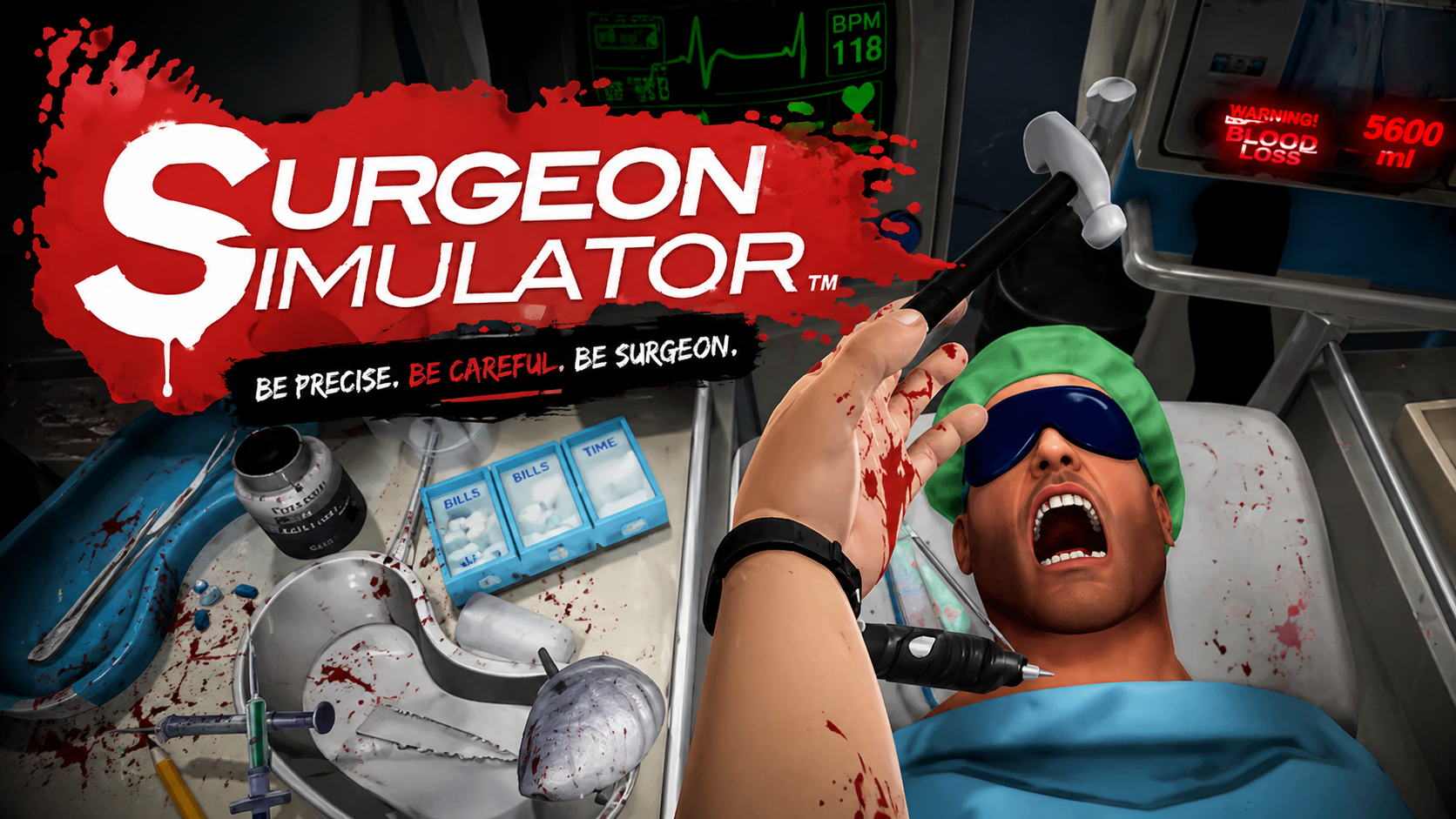
Surgeon Simulator is a fun and quirky casual game that invites players to step into the shoes of a surgeon. Expect a humorous and somewhat chaotic experience as you attempt to perform surgeries with unusual controls and unpredictable results. The best part? You can play Surgeon Simulator online directly in your browser at FreeGeometryDash.com with no download required. This means you can jump right into the fun anytime, anywhere, without waiting or installing anything on your device.
About Surgeon Simulator
Surgeon Simulator is a casual game that challenges your precision and patience as you take on the role of a surgeon. The game puts you in control of surgical tools to perform operations, often with hilarious outcomes due to the tricky controls. While it’s not a traditional simulation, its entertaining and lighthearted approach makes it enjoyable for players of all ages who like casual, skill-based games. The objective is to complete surgeries successfully, but expect plenty of laughs along the way.
How to Play Surgeon Simulator
Getting started with Surgeon Simulator is simple. Once the game loads in your browser, you’ll see the surgical scene and tools at your disposal. Your goal is to carefully use the instruments to complete the surgery without causing too much damage. The gameplay often involves grabbing, moving, and using surgical items with a bit of trial and error. Take your time to learn the controls and experiment with different actions to improve your surgical skills and complete the tasks.
Mastering the Art of Comedic Surgery
What makes Surgeon Simulator stand out is its unique blend of humor and challenge. Unlike realistic surgery games, this one focuses on fun and unpredictability. The awkward controls mimic the feeling of trying to perform delicate tasks with clumsy hands, which often results in funny mishaps. This adds a layer of comedy to the gameplay, making it less about medical accuracy and more about enjoying the quirky experience. Patience and creativity are key as you figure out how to navigate the tricky controls to succeed.
Surgeon Simulator Controls
The controls in Surgeon Simulator are designed to be challenging and entertaining. Depending on your device and browser, you may use a combination of keyboard and mouse or touch controls. Here’s what to expect:
- Use the mouse or touch to interact with surgical tools and the patient.
- Keyboard keys may help manipulate the hand or switch between tools.
- Clicking or tapping allows you to grab, move, or use objects during surgery.
- Practice will help you get comfortable with the awkward movements.
Tips and Tricks for Surgeon Simulator
- Take your time to understand how each tool works before rushing.
- Practice makes perfect – the more you play, the better you’ll handle the controls.
- Focus on grabbing items steadily to avoid dropping or damaging them.
- Don’t be afraid to experiment; sometimes unusual approaches work best.
- Keep calm, as patience is key to completing surgeries successfully.
Why Play Surgeon Simulator on FreeGeometryDash.com?
Playing Surgeon Simulator on FreeGeometryDash.com offers a quick and easy way to enjoy this entertaining game without the hassle of downloads or installations. The game loads instantly in your browser, making it perfect for casual play sessions. FreeGeometryDash.com provides a safe, accessible platform where you can enjoy Surgeon Simulator and easily explore other fun casual games. It’s a great place to discover games that fit your mood, all available with no download and no waiting.
Similar Games You May Like
If you enjoy the fun and casual gameplay of Surgeon Simulator, you might also like these games that offer unique challenges and entertaining experiences:
Frequently Asked Questions About Surgeon Simulator
Is Surgeon Simulator free to play?
Yes, Surgeon Simulator is free to play online at FreeGeometryDash.com, allowing you to enjoy the game without any cost.
Can I play Surgeon Simulator online?
Absolutely! You can play Surgeon Simulator online directly in your browser with no download needed.
Do I need to download Surgeon Simulator?
No download is required. The game runs smoothly in your web browser, making it quick and easy to start playing.
What are the controls for Surgeon Simulator?
The game typically uses keyboard and mouse controls or touch input depending on your device. You interact with surgical tools by clicking, dragging, and using keys to switch or move your virtual hand.
Is Surgeon Simulator suitable for casual players and kids?
Yes, Surgeon Simulator offers a casual and humorous experience that can be enjoyed by kids and players looking for lighthearted gameplay, though some patience is needed to manage the controls.
Comments
No comments yet. Be the first to comment.