







































Play Orbit Rush Online
Looking for a fun and casual game to enjoy in your browser? Orbit Rush offers an exciting and straightforward gaming experience that anyone can jump into right away. Whether you're a kid or just someone who enjoys quick, engaging games, Orbit Rush is perfect for you. Best of all, you can play Orbit Rush online with no download required, making it easy to start playing instantly on any device with a web browser.
About Orbit Rush
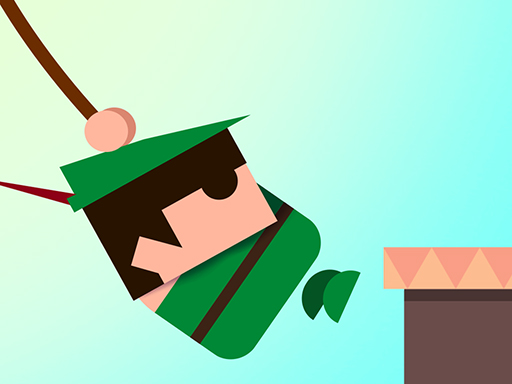
Orbit Rush is a casual browser game that challenges players to navigate through dynamic orbital paths. The game revolves around controlling a moving object that constantly orbits around a central point, requiring players to time their actions carefully to avoid obstacles and keep progressing. With its simple yet captivating concept, Orbit Rush delivers a blend of reflex-based gameplay and strategic timing, making it enjoyable for players of all ages who want a quick and fun challenge.
How to Play Orbit Rush
The goal of Orbit Rush is to keep your orbiting object moving without crashing into obstacles or falling off the path. To start playing, simply launch the game in your browser and follow the on-screen instructions. Players will need to use precise timing to switch or adjust the orbiting path, avoiding barriers that appear as the game speeds up. The longer you survive, the higher your score will be, so focus on staying alert and reacting quickly!
Mastering the Flow of Orbit Rush
What sets Orbit Rush apart is the smooth and continuous orbital movement that keeps players engaged. Staying calm and maintaining a rhythm with your taps or clicks is key to success. As the game progresses, the speed may increase and obstacles become trickier, so adapting your timing and anticipating upcoming challenges will help you push your limits. Enjoy the satisfying feeling of mastering the orbit and seeing how far you can go!
Orbit Rush Controls
Controls in Orbit Rush are designed to be simple and accessible, suitable for casual play.
- Use the keyboard (such as the spacebar or arrow keys) to control your orbit’s movement or to jump between paths.
- Mouse clicks or taps on touchscreens may also be used to change direction or timing.
- Controls can vary slightly depending on the device or browser, so try what feels most natural for you.
Tips and Tricks for Orbit Rush
- Focus on timing your movements carefully rather than rushing—patience pays off.
- Keep an eye on the patterns of obstacles to predict when to switch or jump.
- Practice makes perfect: the more you play, the better your reflexes and anticipation will become.
- Use short bursts of movement to stay in control rather than long, continuous presses.
- Take breaks if you feel frustrated to keep your gameplay fun and fresh.
Why Play Orbit Rush on FreeGeometryDash.com?
Playing Orbit Rush on FreeGeometryDash.com means you can enjoy this fast-paced casual game instantly without any downloads or installations. The website offers simple and quick access to a wide variety of browser games, making it a great place to discover new favorites. FreeGeometryDash.com’s easy-to-use platform helps you jump right into the action and enjoy smooth gameplay anytime you want.
Similar Games You May Like
If you enjoy the fast reflex and casual style of Orbit Rush, you might also like these exciting games available on FreeGeometryDash.com:
Frequently Asked Questions About Orbit Rush
Is Orbit Rush free to play?
Yes, Orbit Rush is completely free to play online. You can enjoy it without any purchase or subscription.
Can I play Orbit Rush online?
Absolutely! Orbit Rush is designed to be played online directly through your web browser, so no extra software is needed.
Do I need to download Orbit Rush?
No download is required to play Orbit Rush. Just open the game in your browser and start playing right away.
What are the controls for Orbit Rush?
The controls usually involve using the keyboard, mouse, or touchscreen taps to control your orbiting object. Try different inputs to see what works best for you.
Can Orbit Rush be played on mobile devices?
Yes, Orbit Rush can typically be played on mobile devices using touch controls, making it easy to enjoy on the go.
Comments
No comments yet. Be the first to comment.